

The Ultimate Guide to Securing Your Accounting Practice
Why CPA Firms Are One of Cybercriminals’ Favorite Targets
CPA firm IT security is one of the most urgent issues facing accounting practices today — because your firm holds exactly what cybercriminals want most.
Here’s a quick breakdown of what you need to know:
- Who’s at risk: Every CPA firm, regardless of size, that handles client tax returns, payroll data, or financial records
- Why you’re targeted: You hold Social Security numbers, bank account details, prior-year returns, and PII — all in one place
- What the law requires: A Written Information Security Plan (WISP), MFA, encryption, and breach response protocols under the FTC Safeguards Rule and GLBA
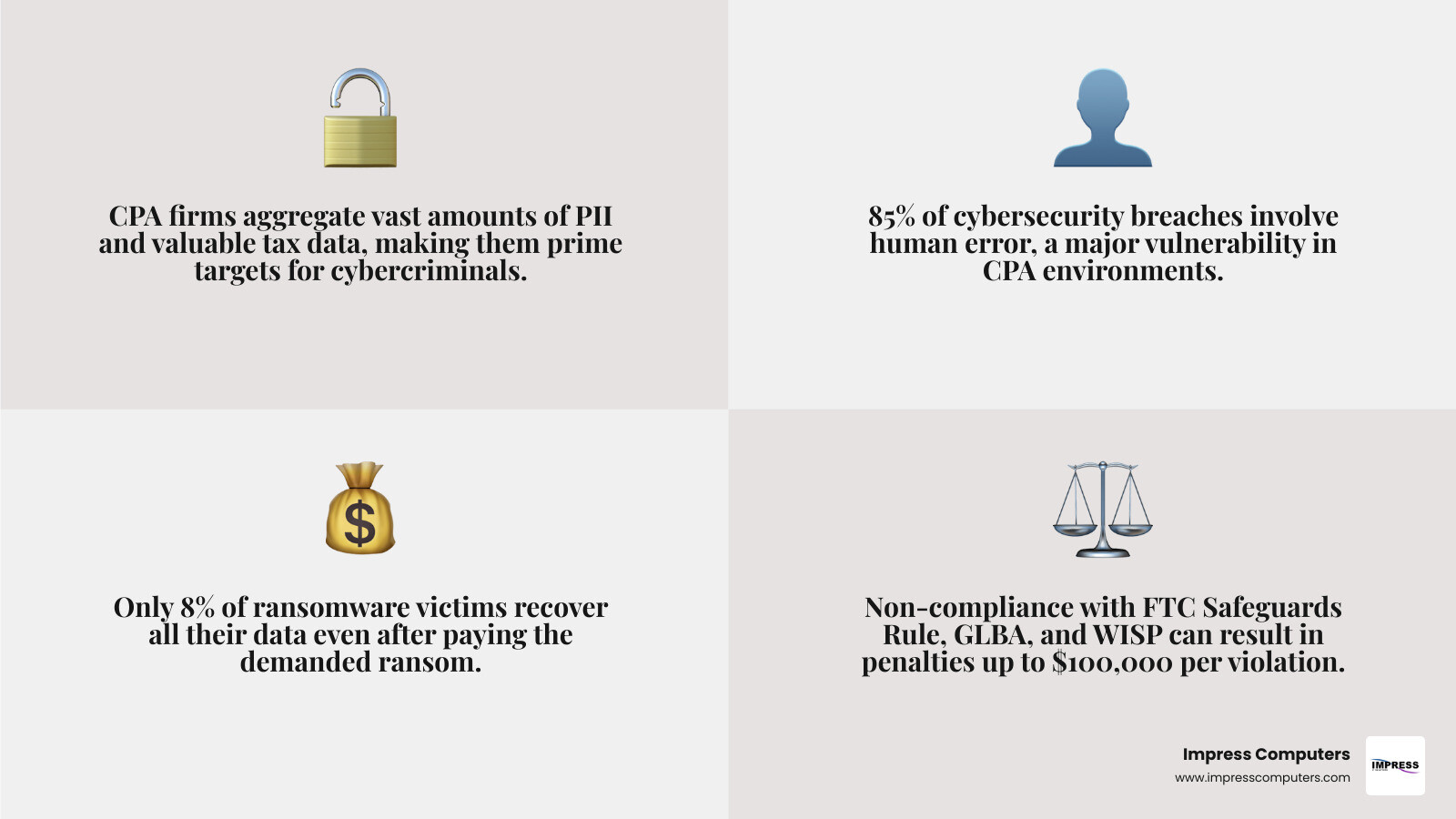
- What non-compliance costs: Up to $100,000 per violation and $43,000 per day in FTC penalties
- Biggest threat vector: Human error — involved in 85% of all data breaches
- What to do first: Conduct a risk assessment, designate a Data Security Coordinator, and document your security plan
Think about what sits inside your firm’s systems right now. Tax returns. Bank statements. Employer payroll records. Social Security numbers for entire families. A single client’s tax file contains more usable identity data than most bank records.
That’s why hackers have shifted their focus. Large corporations have dedicated security teams and attract law enforcement attention. Smaller CPA firms? Many are perceived as data-rich and under-protected — the perfect combination for a fast, low-risk attack.
And the trend is getting worse. Cyber incidents broke records in 2021, and the trajectory has continued upward every year since.
The stakes aren’t just financial. A breach can destroy client trust built over decades — overnight.
Why CPA Firm IT Security is a Legal Mandate
If you think cybersecurity is just a “best practice,” the Federal Trade Commission (FTC) would like a word. For CPA firms, robust cpa firm it security isn’t optional; it’s a legal requirement under the Gramm-Leach-Bliley Act (GLBA).
Many small firms in the Houston area mistakenly believe they aren’t “financial institutions.” However, under the FTC Safeguards Rule, any business significantly engaged in financial activities—including tax preparation and accounting—falls under this umbrella. This means you are legally obligated to protect client Personally Identifiable Information (PII) with the same rigor as a local bank.
The consequences of ignoring these rules are staggering. Non-compliance can lead to FTC penalties of $100,000 per violation. If you are under a consent order and violate it, you could face fines of $43,000 per day. Beyond the fines, a breach often leads to CPA Cyber Security Obligations and Exposure Response costs, including forensic audits, legal fees, and mandatory credit monitoring for affected clients.
Understanding the FTC Safeguards Rule
The Safeguards Rule was updated significantly in June 2023, shifting from vague suggestions to very specific requirements. To be compliant, your firm must:
- Designate a Qualified Individual: Someone must be responsible for overseeing and implementing your security program.
- Conduct Written Risk Assessments: You can’t just say you’re secure; you must identify and document internal and external risks to client data.
- Oversee Service Providers: You are responsible for ensuring your vendors (cloud hosting, software providers) also maintain high security standards.
Overcoming Small Firm Cybersecurity Myths
We often hear from partners in Katy or Sugar Land who say, “We’re too small to be a target.” This is perhaps the most dangerous myth in the industry. Cybercriminals actually prefer smaller firms because they often lack the sophisticated defenses of national practices. Hackers want to avoid the massive “Red Alert” from federal law enforcement that comes with hitting a global entity. By targeting a 10-person firm, they can steal high-value tax data and vanish before anyone notices.
Another common myth is that “the IT guy has it covered.” Standard IT support often focuses on making things work (uptime and speed) rather than keeping things safe (security and compliance). If you aren’t sure where your firm stands, it’s time to ask: Is Your CPA Firm at Risk to Cyber Attacks?
The Mandatory Written Information Security Plan (WISP)
If there is one document that defines your firm’s commitment to cpa firm it security, it is the Written Information Security Plan (WISP). As of recently, the IRS requires tax professionals to check a box during their PTIN renewal confirming they have a WISP in place.
A WISP isn’t a “set it and forget it” document you hide in a drawer. It is an evergreen document that must be reviewed at least annually or whenever your business changes (like adding a new remote office in The Woodlands or switching tax software). According to IRS Publication 5708, a WISP is a blueprint for how your firm protects client data through administrative, technical, and physical safeguards.
9 Essential Elements of a Compliant WISP
To meet federal standards, your WISP should include these nine elements:
- Designate a Program Coordinator: A specific person (internal or external) who runs the show.
- Identify Risks: A formal assessment of where your data is vulnerable.
- Design and Implement Safeguards: The actual tools (firewalls, MFA) you use.
- Regularly Test and Monitor: Checking to see if those tools actually work.
- Evaluate and Adjust: Updating the plan based on testing results.
- Employee Training: Ensuring your staff knows how to spot a phishing email.
- Service Provider Oversight: Vetting your vendors’ security.
- Incident Response Plan: A “break glass in case of emergency” guide.
- Hardware/Software Inventory: Knowing exactly what devices have access to your data.
For a deeper dive into these requirements, check out this CPA cybersecurity checklist.
Maintaining Your WISP and Data Inventory
One of the most overlooked parts of cpa firm it security is data mapping. Do you know exactly where every piece of client PII lives? Is it on a local server in your Houston office? Is it in a staff member’s Dropbox? Is it on a laptop sitting in a car in Richmond?
You cannot protect what you cannot see. A thorough inventory includes tracking all hardware (phones, tablets, laptops), software (tax apps, email, cloud storage), and user access levels. This level of detail is why many Houston CPA Firms Are Ditching Their Old IT Providers—they need someone who understands the granular requirements of the accounting world.

Technical Safeguards and Secure Remote Access
Once the paperwork is in order, it’s time to build the digital walls. In cpa firm it security, we talk about a “defense in depth” strategy. This means if a hacker gets through one layer, there are three more standing in their way.
Strengthening CPA Firm IT Security with MFA and Encryption
If you only do one thing after reading this guide, let it be this: Enable Multi-Factor Authentication (MFA) on everything. MFA is the single most effective way to stop unauthorized access. Even if a hacker steals your password, they can’t get in without that second code from your phone or physical fob.
Next is encryption. You must encrypt data “at rest” (sitting on your hard drive or server) and “in transit” (being emailed or uploaded). If a laptop is stolen from a firm in Missouri City, encryption ensures the data on it is useless to the thief.
We also recommend:
- 12-Character Passphrases: Forget “P@ssword123.” Use long phrases like “BlueTableCoffeeLover2024!”
- Password Managers: Use tools to store complex, unique passwords so staff don’t write them on sticky notes.
- Patch Management: Set your computers to update automatically. Most hacks exploit “known vulnerabilities” that have already been fixed by software updates that the user simply ignored.
Secure Remote Access and Physical Office Security
Remote work is here to stay, but it opens new doors for criminals. Staff should never access client data over public Wi-Fi (like at a coffee shop in Fulshear) without a secure VPN. We also suggest separating your “Guest Wi-Fi” from your “Firm Wi-Fi” so a client’s infected phone doesn’t spread malware to your tax server.
Don’t forget physical security. cpa firm it security includes the real world, too.
- Auto-Lock Screens: Workstations should lock after 5 minutes of inactivity.
- Visitor Policies: Don’t let unescorted visitors wander near servers or desks with open files.
- Shredding: Use a professional shredding service for all physical documents containing PII.
| Feature | Fragmented IT (Old Way) | Unified IT (Secure Way) |
|---|---|---|
| MFA | Only on email | Required for all apps and logins |
| Updates | When the user remembers | Automated “Silent” patching |
| Remote Work | Personal laptops / No VPN | Managed devices / Secure VPN |
| Backups | USB drive in a drawer | Isolated, encrypted cloud backups |
| Monitoring | “Call us when it breaks” | 24/7 Security Operations Center |
Managing Human Risk and Cyber Insurance
You can have the most expensive firewall in the world, but it won’t matter if an employee clicks a link in an email that says “Urgent IRS Notice: Action Required.” Statistics show that 85% of breaches involve a human element.
Combating Phishing through Employee Awareness
Cybercriminals love tax season. They know you are stressed, rushing, and processing hundreds of emails a day. This is when they strike with social engineering attacks. They might spoof a client’s email address and ask for a wire transfer or send a “document link” that installs ransomware.
The best defense is ongoing, scenario-based training. At Impress Computers, we recommend:
- Phishing Simulations: Send fake phishing emails to your staff to see who clicks. It’s a safe way to learn.
- Tax Season Refreshers: Hold a 15-minute security meeting every January to remind everyone of current scams.
- Verbal Confirmations: Never, ever process a wire transfer or change bank details based solely on an email. Pick up the phone and call the client at a known number.
Vendor Management and Cyber Insurance
Your security is only as strong as your weakest vendor. Before signing up for a new cloud service, ask for their SOC 2 report. This is an independent audit that proves they follow high security standards.
Finally, let’s talk about insurance. As a business owner, As a Business Owner, Do You Need Cyber Security Insurance? The answer is a resounding yes. However, insurance is not a substitute for security. In fact, many insurers in Houston and Katy now refuse to cover firms that don’t have MFA and a WISP in place.
Cyber insurance helps cover the massive costs of a breach, including:
- First-Party Coverage: Forensic IT experts, public relations, and business interruption.
- Third-Party Claims: Legal defense and settlements if a client sues you for losing their data.
For more on why this is critical for local firms, read Why Houston Businesses Need Cyber Security Insurance IT Service.
Incident Response and Breach Protocols
What happens when the worst-case scenario occurs? How you respond in the first 24 hours will determine if your firm survives or closes its doors.
Critical Steps for CPA Firm IT Security Breaches
If you suspect a breach:
- Isolate the Threat: Disconnect infected computers from the network immediately.
- Call the Experts: Contact your IT provider and your insurance carrier. You will likely need a digital forensic team to find out what happened.
- Engage Legal Counsel: This helps establish “attorney-client privilege” over the investigation.
- Notify the Authorities: If the breach affects more than 500 people, you must notify the FTC within 30 days of discovery. You may also need to notify the IRS, local law enforcement, and state agencies.
Paying a ransom is a gamble. Research shows that only 8% of businesses who pay ransomware demands get all their data back.
Business Continuity and Secure Backups
The only way to truly defeat ransomware is to have a backup that the hackers can’t reach. We follow the 3-2-1 rule:
- 3 copies of your data.
- 2 different media types.
- 1 copy stored offsite and “air-gapped” (completely disconnected from your main network).
Regularly testing these backups is vital. There is nothing worse than trying to restore your data after a crash only to find out the backup failed six months ago. Reliable IT for CPAs Who Can’t Afford Downtime ensures that your firm stays operational even when disaster strikes.
Frequently Asked Questions about CPA Security
Why are CPA firms prime targets for cybercriminals?
CPA firms are “treasure troves” of data. Unlike a retail store where a hacker might get one credit card number, a CPA firm holds a client’s entire financial life—SSNs, bank accounts, and income history. This data is much easier to monetize through identity theft or fraudulent tax filings.
What is a Written Information Security Plan (WISP)?
A WISP is a formal, documented strategy that outlines how your firm protects client data. It is a legal requirement for all tax professionals and must include administrative, technical, and physical safeguards tailored to your firm’s size and complexity.
What are the penalties for non-compliance with the FTC Safeguards Rule?
The FTC can levy fines of up to $100,000 per violation. Additionally, consent violations can cost $43,000 per day. Beyond government fines, firms face the risk of private lawsuits and irreparable damage to their professional reputation.
How often should a WISP be updated?
At a minimum, you should review and update your WISP annually. However, you should also update it whenever there is a material change to your business, such as hiring remote employees, opening a new office in Brookshire or Rosenberg, or implementing new software.
Does my firm really need MFA if we have a strong firewall?
Yes. A firewall is like a lock on your front door, but MFA is like a security guard standing behind it. Many attacks bypass firewalls entirely through phishing or stolen credentials. MFA is your last, best line of defense.
Conclusion
The landscape of cpa firm it security is complex, but you don’t have to navigate it alone. Between the strict requirements of the FTC Safeguards Rule and the ever-evolving tactics of cybercriminals, accounting firms need a partner who understands the high stakes of their industry.
At Impress Computers, we specialize in providing managed IT services and security for CPA firms throughout Houston, Katy, Sugar Land, and the surrounding areas. We understand that in the accounting world, downtime isn’t just an inconvenience—it’s a disaster, especially during tax season. That’s why we offer a 15-minute response guarantee and maintain 99.9% uptime for our clients.
Don’t wait for a breach to find out if your defenses are strong enough. Whether you need help building a compliant WISP, implementing MFA, or securing your remote workforce, we are here to help.
Get specialized IT support for Houston CPA firms today and let us handle the technology so you can focus on your clients.
