

Stop Screaming at Your Router with These Remote IT Support Solutions
Is Your Small Business One Tech Meltdown Away from a Standstill?
Remote IT support for small business is a service where trained technicians fix your technology problems over the internet — no waiting for someone to drive to your office.
Here’s a quick look at what it covers and who it’s for:
| What It Is | What It Does | Who It’s For |
|---|---|---|
| Cloud-based tech support | Fixes software, network, and security issues remotely | Small businesses with 1-100 employees |
| 24/7 monitoring | Catches problems before they cause downtime | Industries like manufacturing, legal, accounting |
| Managed IT services | Replaces or supplements an in-house IT team | Businesses without a dedicated IT department |
| Help desk support | Fast troubleshooting via screen share or remote access | Remote and hybrid teams |
You know the feeling. Something breaks. Work stops. You’re on hold with a support line, or worse — waiting two days for a technician to show up. For small businesses, that downtime isn’t just frustrating. It’s expensive.
And it’s more common than you’d think. Small businesses make up 99.9% of all U.S. enterprises, yet most operate without a full-time IT team. Meanwhile, the shift to remote and hybrid work isn’t slowing down — 57% of small business owners plan to make remote work permanent. That puts enormous pressure on technology that was never designed to carry this much weight.
The good news? You don’t need an in-house IT department to get enterprise-grade support. Remote IT services have made fast, expert help accessible to businesses of every size — often at a fraction of the cost of traditional on-site support.
I’m Roland Parker, Founder and CEO of Impress Computers, and I’ve been helping Houston-area businesses solve exactly these kinds of IT challenges since 1993 — including building scalable remote IT support for small business solutions across manufacturing, construction, legal, and financial services. In this guide, I’ll walk you through the top solutions and what to look for so you can stop screaming at your router and get back to running your business.
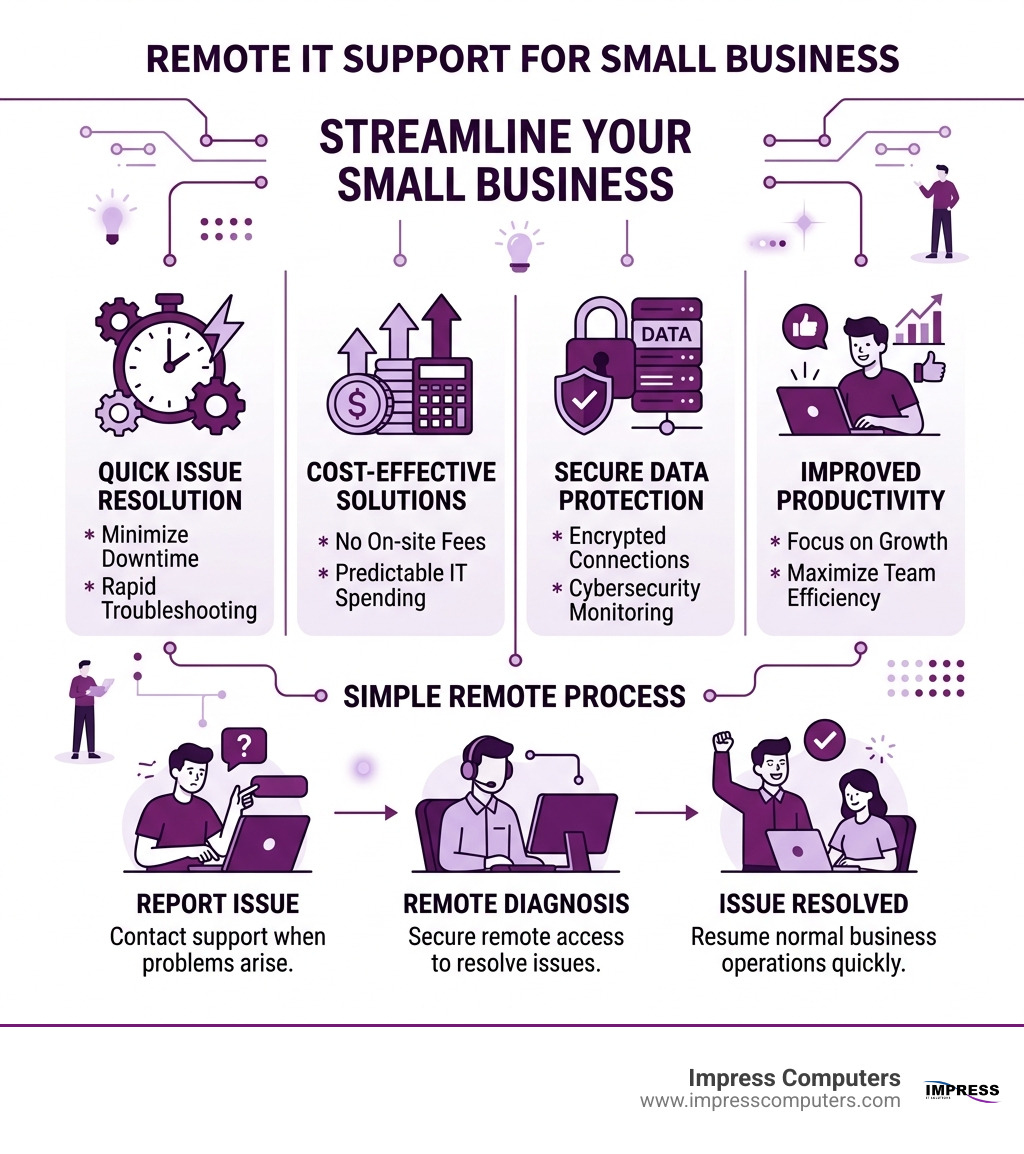
Why Remote IT Support for Small Business is a Game Changer
In the old days, if your server went down in Katy or your email stopped working in The Woodlands, you had to wait for a technician to fight through I-10 traffic to reach your office. Today, that model is as outdated as a dial-up modem. With remote IT support for small business, the “office” is wherever your team happens to be.
The surge in decentralized work means your digital assets are spread across home networks, coffee shop Wi-Fi, and mobile hotspots. This flexibility is great for morale, but it’s a nightmare for security. Did you know that over 82% of cybersecurity attacks in 2021 were directed at businesses with fewer than 1,000 employees? Small businesses are often viewed as “soft targets” because they lack the robust defenses of a Fortune 500 company.
Remote support changes the math. By implementing a managed approach, we can provide Remote Work Security: Safeguarding Digital Assets in a Decentralized Environment that protects your data regardless of where your employees log in. This ensures business continuity—the ability to keep the lights on even if a local disaster strikes—and scalability, allowing you to add new users in minutes rather than days.

Boosting Productivity with Remote IT Support for Small Business
Nothing kills a productive Tuesday like a “Blue Screen of Death” or a printer that refuses to acknowledge your existence. When you rely on remote IT support for small business, these roadblocks become minor speed bumps.
Instead of an employee spending three hours Googling a fix, they simply click a button or send a quick chat. A technician can then use screen-sharing tools to see exactly what the user sees and fix the issue in real-time. We focus on 24/7 monitoring, which means we often spot a failing hard drive or a suspicious login attempt before your staff even notices a glitch.
This proactive approach is a cornerstone of our Houston IT Services, where we aim for instant troubleshooting that keeps your team focused on billable hours, not tech chores.
Security and Compliance Standards
If you’re in the banking, legal, or CPA sectors in Houston, “security” isn’t just a buzzword—it’s a legal requirement. Remote support solutions must meet high-tier encryption standards to ensure that when a technician accesses your computer, no one else can “eavesdrop” on the connection.
We look for solutions that utilize 256-bit AES encryption (the same level used by online banks) and strict Multi-Factor Authentication (MFA). Beyond just passwords, we implement “Zero-Trust” architectures, where every access request is verified, regardless of where it originates. This is vital for staying compliant with major regulations, including:
- HIPAA: Protecting sensitive patient health information.
- GDPR: Managing data privacy for any international clients.
- PCI DSS: Ensuring secure handling of credit card transactions.
For more details on how these standards protect your privacy, you can review the Scientific research on data privacy and security standards provided by industry leaders.
Key Features to Look for in Remote IT Support Solutions
Not all remote support is created equal. If you’re evaluating a provider or a software tool, you need more than just a “remote desktop” connection. You need a comprehensive toolkit that manages your entire digital ecosystem.
When we help businesses in Brookshire or Sugar Land set up their systems, we prioritize these features:
- AI Automation & Proactive Alerting: The system should automatically handle routine tasks like clearing temp files or restarting hung services. It should also alert us the moment a server’s temperature rises or a backup fails.
- Patch Management: Software updates are the first line of defense against hackers. Remote IT support should handle these quietly in the background, ensuring all your apps are current without interrupting your workday.
- IT Asset Management: Do you know exactly how many laptops your company owns and which ones are due for an upgrade? Remote tools track hardware specs and software licenses automatically.
- Mobile Device Management (MDM): If an employee loses a company phone in a Richmond park, MDM allows us to remotely wipe the data so your client list doesn’t end up in the wrong hands.
- Screen Sharing & Camera Sharing: For complex hardware issues, some modern tools allow employees to share their smartphone camera so the IT expert can see the physical cables or lights on a router.
For those wondering how to manage a team spread across the Greater Houston area, check out our guide on How Can Houston Businesses Have Employees Safely Work From Home.
Understanding the Cost of Remote IT Support for Small Business
One of the biggest hurdles for small business owners is the fear of unpredictable bills. We’ve all been there—you call for a “quick fix” and end up with a four-figure invoice. Understanding the different pricing models is the best way to protect your bottom line.
| Pricing Model | Typical Cost | Best For… |
|---|---|---|
| Break-Fix | $125 – $250 per hour | Very small teams with rare IT needs. |
| Per-User | $75 – $150 per month | Predictable budgeting for growing teams. |
| Per-Device | $25 – $100 per device | Businesses with more employees than computers. |
| All-Inclusive | $1,200 – $3,500 monthly | Mid-sized firms needing total “IT department” coverage. |
The break-fix model is the traditional “pay-as-you-go” approach. While it seems cheaper upfront, it often leads to higher costs in the long run because there is no incentive for the provider to prevent problems—they only get paid when things break!
Choosing the Right Pricing Model for Remote IT Support for Small Business
For most of our clients in Missouri City and Cypress, the Per-User or All-Inclusive models offer the best ROI.
- Per-User Pricing: This usually ranges from $75 to $150 per user per month for basic services. If you need advanced cybersecurity or specialized cloud management, that can climb to $200-$300. The benefit here is that costs only grow as your team grows.
- All-Inclusive Fixed Fee: This is perfect for businesses that want a “flat rate” for everything. Whether you call us once a month or fifty times, your bill stays the same. This typically ranges from $1,200 to $3,500 depending on the complexity of your network.
If you’re unsure which model fits your current setup, our Support Center resources can help you audit your current needs.
Comparing Remote vs. On-Site Support Effectiveness
Is remote support always better? Not necessarily, but it is almost always faster.
In a traditional on-site model, the “Clock to Resolution” includes the time it takes for a technician to get dressed, get in a car, and navigate Houston traffic. With remote IT support for small business, the resolution starts the moment we pick up the phone.
- Speed: Remote support can resolve software glitches, password resets, and configuration issues in minutes.
- Cost: You aren’t paying for a technician’s travel time or fuel.
- Effectiveness: About 90% of daily IT issues are software-related and can be fixed remotely.
However, a hybrid model is often the gold standard. You want a provider who can handle the day-to-day remotely but has a local office in Katy or Houston to swap out a dead motherboard or run new Ethernet cables when the situation demands it. When a physical intervention is needed, knowing How to Create a Ticket ensures the right person is dispatched with the right parts.
Frequently Asked Questions about Remote IT Support
How do we get started with a remote support setup?
Getting started is simpler than most people think. We begin with a needs assessment to see what you’re currently running. Next, we install lightweight, secure agent software on your devices. We then configure your security settings—like MFA and user permissions—and run a testing phase to ensure everything is communicating correctly. Usually, a business can be fully onboarded within a few days.
What are the most common challenges with remote IT?
The biggest hurdle is often internet connectivity. If your office internet goes down, we can’t “remote in.” That’s why we often recommend redundant internet connections. Other challenges include hardware failure (which requires a physical visit) and “jargon-heavy” support. We pride ourselves on speaking “human,” not “computer,” so you always know exactly what’s happening with your systems.
How does remote support improve business continuity?
By using cloud backups and remote monitoring, we ensure that your data is safe even if your physical office is inaccessible. If a hurricane hits the Houston area, your team can grab their laptops, head to a safe location, and be back at work immediately. Our goal is 99.9% uptime, ensuring your business never misses a beat.
Conclusion
Technology should be the engine that drives your business forward, not the anchor that holds it back. By embracing remote IT support for small business, you gain access to a level of expertise and security that was once reserved for giant corporations.
At Impress Computers, we don’t just fix computers; we partner with you to ensure your technology supports your long-term goals. Whether you are in manufacturing in Brookshire or a law firm in The Woodlands, we offer a 15-minute response guarantee to keep your team moving.
Ready to stop screaming at your router and start scaling your business? Explore our Managed IT Houston Katy solutions today and let us take the “tech” out of your “to-do” list.
